When signing a multifunction printer repair contract, focus on response time guarantees (is it arrival or callback?), parts handling (OEM vs. aftermarket), billing structure (hidden charges), contract termination conditions (auto-renewal clauses), preventative maintenance schedules, and escalation procedures for persistent issues. Don’t overlook remote support options, staff training provisions, and technology update protocols. These critical details determine whether you’ll face unexpected downtime or enjoy seamless service throughout your equipment’s lifecycle.
Expert Highlights
- What are the guaranteed response times and how are emergency after-hours service requests handled?
- Are genuine OEM parts used, and is there a guaranteed inventory to minimize downtime?
- What is the billing structure, including any hidden charges for parts, labor, or overtime services?
- How frequently is preventative maintenance performed and is it scheduled during business hours?
- What are the contract termination conditions and is there flexibility to exit if service quality declines?
What’s Included in Your Service Response Time Guarantee?

When negotiating a printer repair contract, you’ll need to understand exactly what the vendor means by “service response time guarantee” as this seemingly simple term can hide several important variables. Many vendors advertise “four-hour response time,” but clarify whether this means a technician will physically arrive on-site or merely call you back within that window.
Ask pointed questions about what triggers the response clock—does it start when you submit an online ticket, call their helpdesk, or when they acknowledge your request? Additionally, confirm if the guarantee covers all service issues or only certain categories. Request specifics about penalties if they miss the guaranteed window; reputable providers offer service credits or fee reductions. Finally, understand how weekend calls, holidays, and after-hours emergencies are handled, as these often fall outside standard response guarantees yet represent critical operational moments for your business.
How Are Replacement Parts and Supplies Handled?
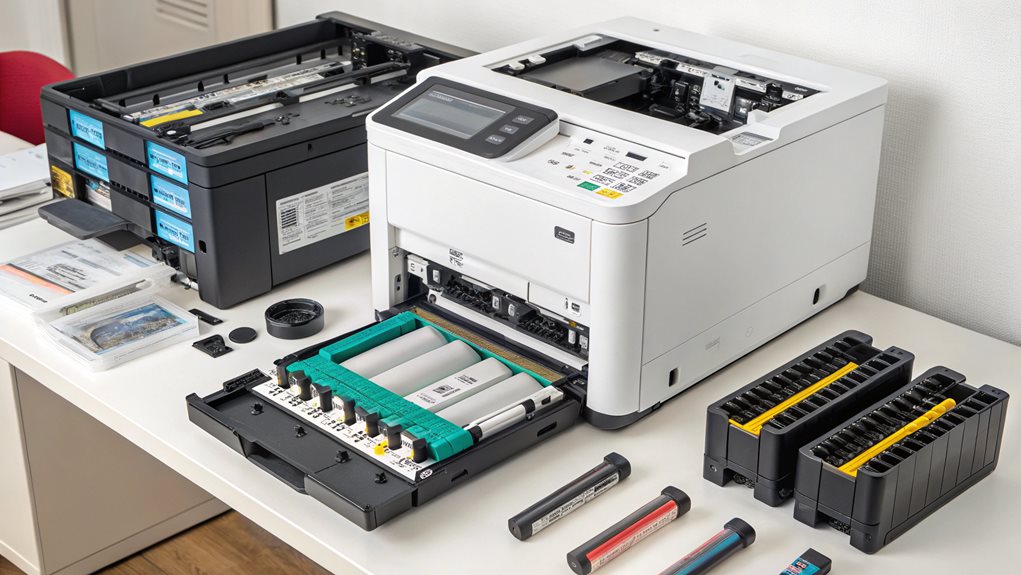
Beyond response times, the replacement parts and supplies policy in your printer repair contract can greatly impact your total cost of ownership. You’ll want to understand exactly what’s covered and what might trigger additional charges before signing on the dotted line.
Ask these critical questions to avoid unexpected costs:
- Will you use genuine OEM parts or less expensive aftermarket alternatives?
- Is there a guaranteed parts inventory to prevent extended downtime?
- Are consumables like toner included, or will they be billed separately?
- What’s your policy on end-of-life components that fail repeatedly?
- Do you provide detailed documentation of all replaced parts?
Understanding these elements helps you compare service providers accurately and guarantees you’re not caught off guard when something breaks. A transparent parts policy protects your budget and keeps your printing operations running smoothly.
Understanding the Contract Term and Termination Conditions

How long you’re legally bound to a service provider can greatly impact your budget and flexibility. Most multifunction printer repair contracts lock you in for one to three years, but the fine print often contains auto-renewal clauses that extend your commitment without explicit consent. Review the termination conditions carefully—can you exit early if service quality declines, and what penalties apply?
Look for contracts that offer a 30-day written notice period for cancellation without excessive fees. Be wary of agreements requiring you to pay the remaining balance of the entire contract term if you terminate early. The ideal contract balances commitment with flexibility, allowing your organization to adapt as needs change. Request clear documentation of all termination procedures, including required notice formats and acceptable delivery methods, to avoid disputes later.
Preventative Maintenance Schedule and Coverage
Knowing exactly what’s included in your printer maintenance schedule can save you from costly surprises when repairs become necessary. You’ll want to clarify whether the contract covers just labor costs or includes replacement parts as well, since parts-only coverage could leave you paying significant labor charges during breakdowns. Additionally, confirm the guaranteed response time for emergency repairs, as productivity losses from extended printer downtime can quickly exceed the cost differences between basic and premium service contracts.
Maintenance Frequency Details
Regular maintenance serves as the foundation of any effective printer repair contract, yet many organizations fail to clarify exactly how often technicians will service their equipment. When reviewing your contract, verify it specifies maintenance frequency details that align with your organization’s printing volume and equipment types. Without clear intervals, you might experience unexpected downtime that impacts your team’s productivity.
Ask your provider to clarify:
- Will maintenance occur monthly, quarterly, or based on page count thresholds?
- Does the frequency adjust automatically when usage patterns change?
- Are preventative visits scheduled during your normal business hours?
- Will technicians provide advance notice before each maintenance visit?
- Does the contract include emergency maintenance options between scheduled visits?
Understanding these details helps you evaluate whether the maintenance schedule will keep your equipment running efficiently while minimizing disruption to your workflows.
Parts Versus Labor
The distinction between parts and labor coverage often creates confusion when reviewing printer repair contracts. You’ll need to carefully examine which components are included and excluded from your agreement. Many standard contracts cover labor costs but limit replacement parts, leaving you vulnerable to unexpected expenses when critical components fail.
Ask your provider for a detailed breakdown of covered parts versus labor hours. Specifically, determine if high-wear items like fusers, transfer belts, and imaging drums are included or require separate purchases. You’ll want to understand if preventative maintenance visits count against your labor allocation or come standard.
The most thorough contracts include both unlimited labor and full parts coverage, though these naturally cost more. Balance your budget against potential downtime risks, considering your organization’s printing volume and mission-critical document needs.
Emergency Response Time
When will your printer service technician arrive after you report a significant malfunction? Your emergency response time guarantee is one of the most vital elements in any repair contract. Downtime costs your business money and frustrates your team when they can’t complete essential tasks. Before signing, confirm the contract clearly specifies these response commitments.
- 1-hour response for mission-critical equipment that halts operations
- 4-hour on-site arrival for serious malfunctions affecting multiple departments
- Same-day remote diagnostics for all service calls
- Next business day resolution for standard issues
- Priority scheduling for your company over non-contract customers
Ask whether response times refer to initial contact or on-site arrival, and whether weekends/holidays count toward these timeframes. Get these guarantees in writing, and inquire about compensation if service technicians don’t meet promised response times.
Equipment Training and Support for Staff Members
Ensuring your staff receives thorough equipment training should be a critical component of your printer repair contract negotiations. You’ll want to clarify exactly when and how vendor-provided training sessions will occur, including whether they’ll offer convenient remote support options when in-person assistance isn’t feasible. Additionally, request information about ongoing educational resources the vendor provides, such as troubleshooting guides, video tutorials, or knowledge bases that will help your team resolve minor issues independently and maximize printer uptime.
Training Schedule Details
Thorough training for your staff should be explicitly outlined in any printer repair contract you’re considering. When reviewing the training schedule details, you’ll want to guarantee extensive coverage that minimizes productivity disruptions while maximizing your team’s proficiency with the equipment.
Ask your provider to specify:
- When initial training sessions will occur and how long they’ll last
- Whether refresher courses are included when new features are released
- If there’s a dedicated contact person your team can reach with questions
- What training materials (videos, manuals, quick-reference guides) you’ll receive
- How new employees will be trained when they join your organization
Without proper scheduling details, your team might struggle with equipment features, leading to frustration and underutilization of capabilities you’re paying for. Insist on clear timelines that accommodate your operational hours.
Remote Support Options
Remote support capabilities should be clearly defined in your printer repair contract, as they’ll directly impact how quickly and efficiently your staff can resolve minor issues without waiting for on-site technicians. Ask specifically about available channels—phone, email, live chat, or video assistance—and confirm their operating hours align with your business schedule.
When evaluating remote support, consider whether the provider offers diagnostic software that technicians can access to troubleshoot problems remotely. This capability often reduces downtime by 40-60% compared to waiting for in-person service. You’ll also want to understand if remote monitoring is included, which proactively identifies issues before they cause disruptions. Determine if there are additional costs for these remote services or limitations on the frequency of use, as unexpected charges can greatly impact your overall maintenance budget.
Ongoing Education Resources
Many printer service providers offer staff education resources as part of their contracts, but these benefits remain underutilized when organizations don’t specifically inquire about them during negotiations. Before signing your repair contract, ask about the following educational support options that can help your team maximize equipment investment and reduce costly user errors.
- On-site training sessions for new employees who need hands-on guidance
- Video tutorials and documentation accessible 24/7 for self-paced learning
- Quarterly refresher courses to keep your team updated on advanced features
- Customized workflow training tailored to your organization’s specific needs
- Technical certification opportunities for your IT staff to handle minor issues internally
These resources guarantee your team feels confident operating complex equipment, minimizing frustration and maximizing productivity. When evaluating contracts, prioritize providers offering extensive education that grows with your needs.
Billing Structure and Hidden Cost Potential
When examining a printer repair contract, you’ll need to scrutinize the billing structure to avoid unexpected costs that can greatly impact your budget. Look for contracts that clearly outline whether you’re paying per incident, through a monthly fee, or via cost-per-page arrangements. Many companies fall victim to hidden charges for after-hours service, parts replacement exclusions, or minimum volume commitments.
Ask these specific questions before signing: Are consumables like toner included or billed separately? What triggers overtime rates? Is there a response time guarantee with financial compensation if not met? Will firmware updates incur additional costs? By identifying these potential expenses upfront, you’ll protect your department from budget overruns and gain respect from your financial team for your thoroughness. Remember, the most transparent billing structures often indicate the most trustworthy service providers.
Escalation Procedures When Service Issues Persist
Even the most thorough printer repair contract can’t prevent all service failures, which is why establishing clear escalation procedures represents your safety net when standard support channels fall short. When negotiating your contract, insist on documented pathways for issue resolution that protect your team’s productivity.
Ask these critical questions before signing:
- Who is your designated escalation contact when first-level support can’t resolve your issue?
- What specific timeframe guarantees apply to escalated service requests?
- How will senior technicians be deployed when problems persist beyond initial repair attempts?
- What compensation or service credits will you receive for prolonged downtime?
- Is there a written procedure for escalating issues to the vendor’s executive level?
These provisions guarantee you’re never left without recourse when printer problems threaten your operations, giving your team confidence that help is always available.
Technology Updates and Compatibility Assurances
As printer technology evolves at a rapid pace, your repair contract must include provisions for handling inevitable software updates, firmware changes, and compatibility challenges. Ask specific questions about how the provider manages technology shifts and whether they’ll notify you when updates are available. You’ll want clear documentation of which updates are included in your service agreement and which might trigger additional costs.
Ensure your contract addresses compatibility with your existing network infrastructure, applications, and security protocols. Many organizations face unexpected disruptions when printer firmware updates conflict with their systems. Request written assurances that the service provider will test updates before implementation and provide rollback options if problems occur. This foresight can save you from productivity losses when new technology interfaces with your established workflows.
Frequently Asked Questions
Is the Service Contract Transferable if We Relocate Offices?
You’ll want to verify if your contract is transferable during relocation. Many providers allow this, but you’ll need to check if there are distance limitations or additional fees involved.
What Happens if Our Print Volume Exceeds Contract Estimates?
You’ll likely face overage charges when exceeding your print volume. Ask about the per-page cost for overages and whether you can adjust your contract mid-term to accommodate your team’s actual usage.
Are Weekend or After-Hours Emergency Repairs Available?
Yes, you’ll want to confirm if emergency repairs are available outside regular hours. Many providers offer this service at premium rates. Get these details clearly outlined in your contract.
Will You Provide Temporary Replacement Equipment During Extended Repairs?
You should ask if they’ll provide loaner equipment when repairs take longer than expected. This guarantees your team won’t face productivity gaps when your main printer is out of commission.
Can We Customize Service Schedules Around Our Busy Periods?
Yes, you can request customized service schedules. Many providers will work around your peak business hours to minimize disruption. Just clearly outline your busy periods in the contract terms.
Expert Final Thoughts
When signing a multifunction printer service contract, you’re making a critical business decision that’ll impact your operations for years. By asking these essential questions about response times, parts coverage, termination conditions, maintenance schedules, staff training, billing structures, escalation procedures, and technology updates, you’ll avoid costly surprises and guarantee reliable equipment performance. Take time to negotiate favorable terms that protect your investment and align with your organization’s specific printing needs.